
Relink a clean ELF, then lay out app, libs, and app0
Official files on GitHub Releases. Commands from USAGE.md. Conversion is not gameplay.
Download a matching pair
From v0.1.1 take the relinker and host libraries for one OS.
Lay out the input
Clean ELF beside exactly one of
sce_module/,sce_modules/, orprx/. SELF/fSELF files are skipped.source/ input.elf sce_module/ <bundled ELF modules>Convert for your host
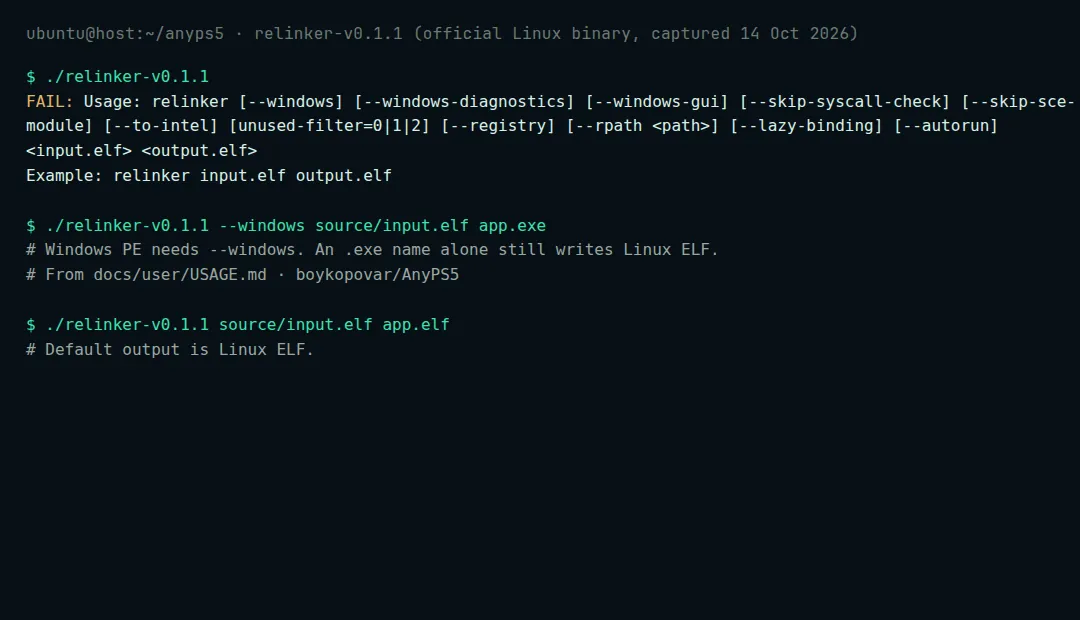
Default output is Linux ELF. Use
--windowsfor PE — an.exefilename is not enough.Windows PowerShell:
.\relinker-v0.1.1.exe --windows source\input.elf app.exe
Linux:
chmod +x ./relinker-v0.1.1
./relinker-v0.1.1 source/input.elf app.elf
Add
--to-intelon Intel hosts for supported AMD-only instructions. Exit code2means conversion failed.Build the runtime folder
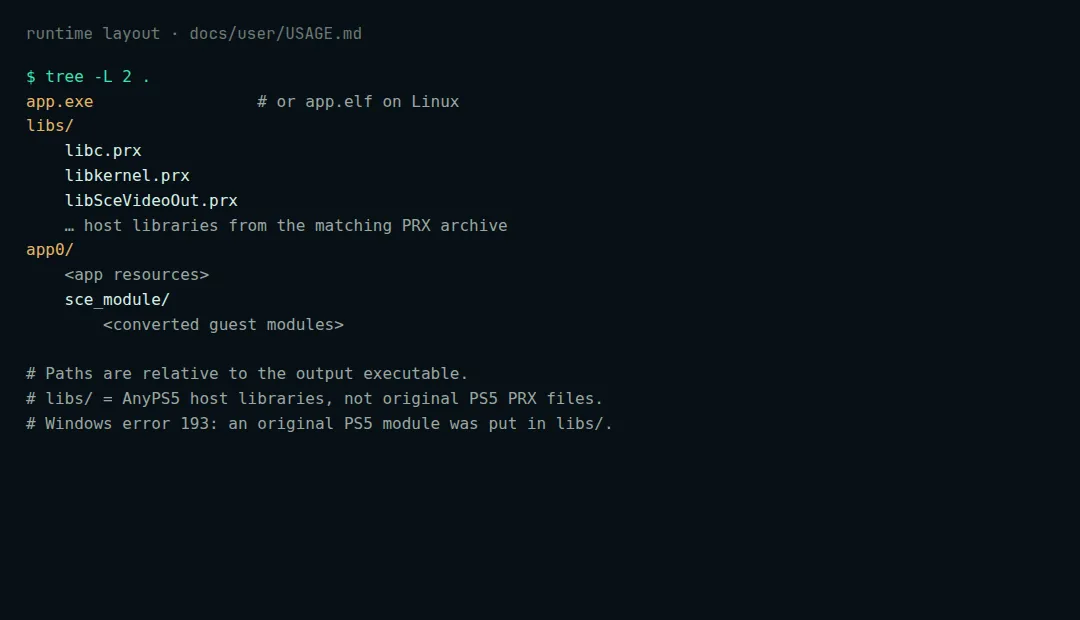
Layout quoted from boykopovar/AnyPS5 docs/user/USAGE.md app.elf or app.exe libs/ *.prx app0/ <app resources> sce_module/ <converted modules>On Windows, original PS5 libraries in
libs/often fail with error 193. Official archives already include the MinGW DLLs; missing them can surface as error 126.Launch from a terminal
Linux:
chmod +x app.elf
./app.elf
Windows PowerShell:
.\app.exe
Keyboard mapping: INPUT_MAPPING.md.
FAQ
What machine do I need?
Windows 10/11 or Linux, x86-64, Vulkan 1.1. Set ANYPS5_GPU to pick a device.
Windows commit limit / Linux udmabuf?
If sceKernelMapDirectMemory fails, enlarge the page file. Some Linux drivers need write access to /dev/udmabuf.
Optional web converter?
boykopovar.github.io/AnyPS5. This site only links out.